 Slouch Sniper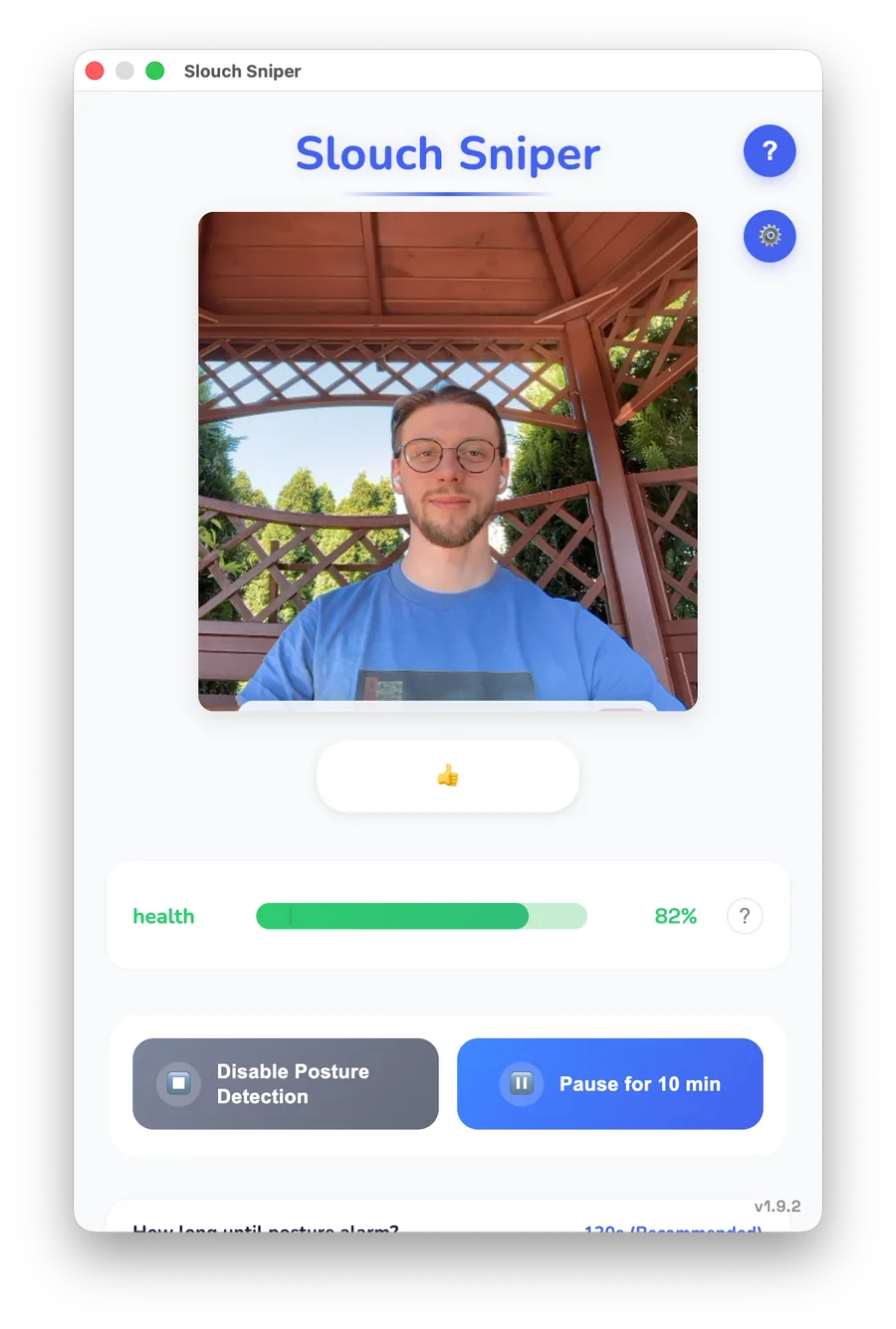
Dims your screen the moment you slouch. Webcam-based, on-device, no wearable.
Dorso is a strong pick for Mac users who want a local, open-source posture tool. Its weakness is not quality; it is scope. Slouch Sniper is simpler to explain and works for more buyers.
Open-source Mac option
Slouch Sniper vs Dorso
Open source vs. a stronger habit loop.
Dorso is a private open-source Mac posture tool. Slouch Sniper adds screen dimming and Windows support.
Quick verdict
Mac and Windows users who need unmissable screen feedback
Mac developers who want to inspect or contribute to the source code
Choose Dorso if open source and Mac-only local tracking are what matter most. Choose Slouch Sniper if you want direct screen dimming and a product that works on both Mac and Windows.
What makes it different
Slouch Sniper dims the screen the moment posture slips. Dorso shows a subtle overlay, a harder-to-notice cue during deep work.
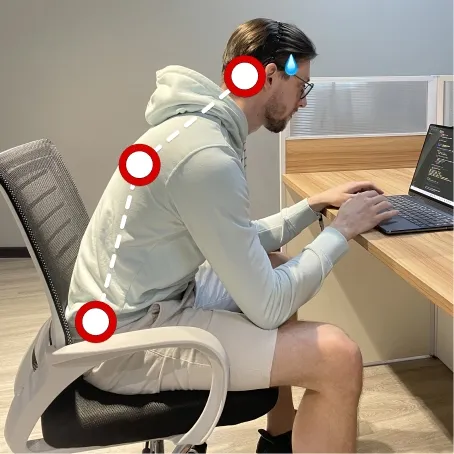
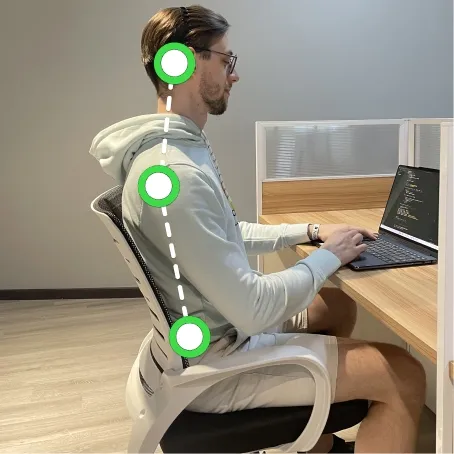
Most posture apps remind you. Slouch Sniper corrects the workflow: it detects slouching with your webcam and dims your screen until you sit up straight.
- Slouch → screen dims
- Sit up → screen clears
- No wearable, no subscription
Feature comparison
Side-by-side on what actually matters for daily desk work.
Feedback style
Slouch SniperSlouch Sniper
Screen dims until you sit up
Dorso
Subtle overlay effects
Posture detection
DorsoSlouch Sniper
Webcam AI slouch detection
Dorso
Webcam or AirPods tracking
Privacy model
DorsoSlouch Sniper
On-device posture processing
Dorso
Local, no account, open source
Platforms
Slouch SniperSlouch Sniper
Mac and Windows
Dorso
Mac only
Pricing model
DorsoSlouch Sniper
$19 current lifetime offer (planned return to $38)
Dorso
Open-source, free to build
Best daily workflow
Slouch SniperSlouch Sniper
Anyone who wants feedback to affect the actual screen
Dorso
Mac developers who want a hackable, open-source tool
Public source notes
Where Slouch Sniper is strong
- Screen dimming is a stronger cue than a subtle overlay during focused work.
- Windows support covers a much larger audience than Mac-only tools.
- A finished, polished product is easier for non-technical buyers than a DIY open-source build.
- Single purchase with updates included. No self-hosting or build pipeline to maintain.
Where Dorso is strong
Dorso is a strong pick for Mac users who want a local, open-source posture tool. Its weakness is not quality; it is scope. Slouch Sniper is simpler to explain and works for more buyers.
- Dorso is open source, you can read, fork, and modify the code.
- It supports both webcam and AirPods tracking.
- Strong fit for Mac developers who want full control over what runs locally.
How it works
Your webcam detects posture in real time, entirely on-device. The moment you slouch, the screen dims. The moment you sit up, it clears. No app to check, no score to interpret.
- On-device AI, no cloud, no streaming
- Mac and Windows, no wearables
- $19lifetime (price will increase to $38)
Bottom line
If your posture problem happens while staring at a screen, the correction should happen on that screen.
Frequently asked questions
What is the best Dorso alternative for posture correction?
Slouch Sniper is the best Dorso alternative if your priority is real-time desk posture correction: webcam AI detection, screen dimming, on-device processing, and Mac plus Windows support.
Is Dorso more private than Slouch Sniper?
Dorso has the open-source advantage and runs locally with no account. Slouch Sniper also processes posture on-device, but Dorso lets you verify that claim yourself by reading the code.
Which app should Windows users pick?
Slouch Sniper. Dorso is Mac-only.
Can I try Dorso before deciding?
Yes, Dorso is free to build from source. If you are comfortable compiling a Mac app, it is worth trying. If you want a ready-to-run product, Slouch Sniper is the faster path.