 Slouch Sniper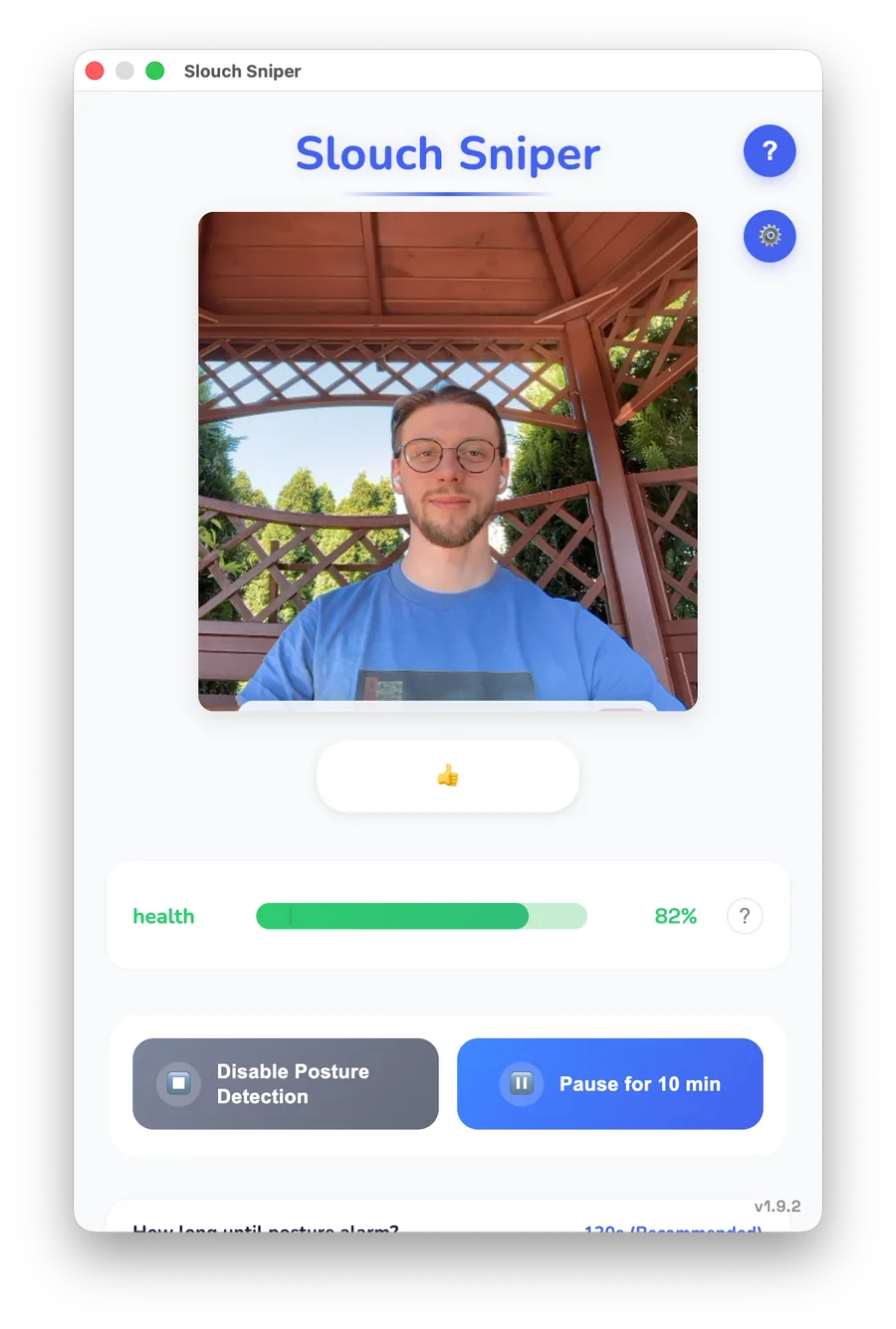
Dims your screen the moment you slouch. Webcam-based, on-device, no wearable.
SitTall tracks posture through AirPods motion sensors, a creative privacy angle. The trade-off is clear: it only works for people with the right Apple hardware.
AirPods posture tracker
Slouch Sniper vs SitTall
AirPods sensor vs. webcam AI.
SitTall is clever if your AirPods are always in. Slouch Sniper works without any earbuds.
Quick verdict
Anyone who does not want to depend on AirPods for posture tracking
Mac users who never remove their AirPods and prefer no camera
Choose SitTall if you want camera-free tracking and already wear compatible AirPods all day. Choose Slouch Sniper if you want screen dimming, no hardware dependency, and Windows support.
What makes it different
Slouch Sniper has no hardware dependency at all, just a webcam, which most laptops already have.
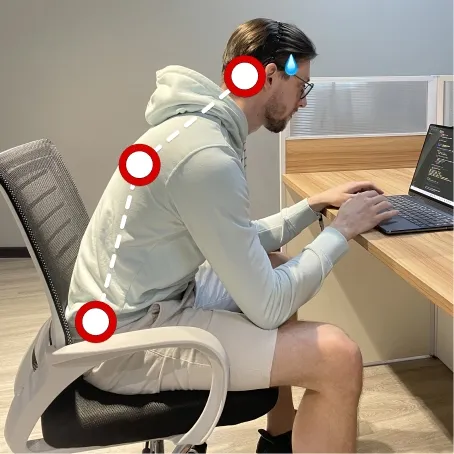
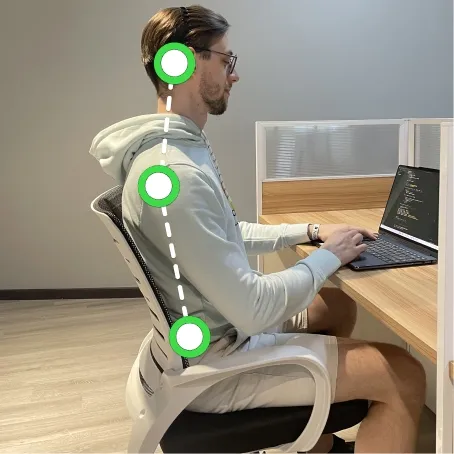
Most posture apps remind you. Slouch Sniper corrects the workflow: it detects slouching with your webcam and dims your screen until you sit up straight.
- Slouch → screen dims
- Sit up → screen clears
- No wearable, no subscription
Feature comparison
Side-by-side on what actually matters for daily desk work.
Feedback style
Slouch SniperSlouch Sniper
Screen dims during slouching
SitTall
Menu bar state and posture notification
Posture detection
TieSlouch Sniper
Webcam AI slouch detection
SitTall
AirPods motion sensors
Privacy model
SitTallSlouch Sniper
On-device posture processing
SitTall
No camera, local AirPods motion analysis
Platforms
Slouch SniperSlouch Sniper
Mac and Windows
SitTall
Apple Silicon Mac with compatible AirPods or Beats
Pricing model
TieSlouch Sniper
$19 current lifetime offer (planned return to $38)
SitTall
Mac App Store app, no subscription listed
Best daily workflow
Slouch SniperSlouch Sniper
Workers who do not want to wear earbuds while working
SitTall
Mac users who already wear AirPods all day
Public source notes
Where Slouch Sniper is strong
- No AirPods or earbuds required, the webcam already in your laptop is the only sensor.
- Windows support opens the app to a much larger audience than Apple Silicon Mac.
- Screen dimming forces correction; a menu bar state change is easy to ignore.
- Works even when you are not wearing headphones.
Where SitTall is strong
SitTall tracks posture through AirPods motion sensors, a creative privacy angle. The trade-off is clear: it only works for people with the right Apple hardware.
- SitTall uses no camera, a meaningful privacy advantage for camera-sensitive users.
- Smart fit for Mac users who already wear compatible AirPods or Beats all day.
- An interesting alternative sensor approach worth knowing about.
How it works
Your webcam detects posture in real time, entirely on-device. The moment you slouch, the screen dims. The moment you sit up, it clears. No app to check, no score to interpret.
- On-device AI, no cloud, no streaming
- Mac and Windows, no wearables
- $19lifetime (price will increase to $38)
Bottom line
If your posture problem happens while staring at a screen, the correction should happen on that screen.
Frequently asked questions
What is the best SitTall alternative for posture correction?
Slouch Sniper is the best SitTall alternative if your priority is real-time desk posture correction: webcam AI detection, screen dimming, on-device processing, and Mac plus Windows support.
Is SitTall more private because it avoids the camera?
Yes, for camera-sensitive users. SitTall avoids camera access entirely. Slouch Sniper processes posture on-device and does not transmit webcam data, but the camera is still active while the app runs.
Can Windows users use SitTall?
No. SitTall is for Apple Silicon Mac users with compatible AirPods or Beats. Slouch Sniper supports Windows.
Which is more practical for most desk setups?
Slouch Sniper, because it relies only on the webcam that most laptops already have. SitTall requires specific Apple hardware.