Posture software · Buying guide
Best Free Posture Reminder Apps in 2026: Timers vs Real Tracking
Compare ongoing free posture reminders and a limited free webcam tracker. See the daily limits, platform tradeoffs, and when a paid alternative is worth considering.
By Karol Kłusek, founder of Slouch Sniper · · 8 min read
Disclosure: we make Slouch Sniper. This AI-assisted guide compares cited product documentation, not hands-on benchmark results. Sources and scope.
The decision in brief
Use a free timer when you only need periodic check-ins. Try a documented free sensing plan when the prompt needs to depend on posture. Slouch Sniper is a paid alternative, not a free app disguised as the top free recommendation.
Free to download is not the same as free to use for your whole day
Before installing a posture app, ask what “free” covers. It might mean an ongoing feature-limited plan, a time-limited trial, an open-source download or an installer that leads directly to a paid purchase.
The distinction matters most when you want help across a full workday. A short daily allowance may be enough to evaluate an app but insufficient for the use you intended. A break reminder may run all day without charge yet never detect a slouch. Neither fact is a trick when it is clearly stated.
This guide separates free posture sensing from free reminders to check yourself. Slouch Sniper is a paid alternative, not one of the free winners. Its current direct lifetime offer is $19; we discuss it only after the free options.
Four free options worth comparing
| Option | Free access described here | What actually triggers the prompt? | Main tradeoff |
|---|---|---|---|
| SitApp Free | Ongoing plan, 1 hour of monitoring per day | Webcam-based posture detection | Not unlimited all-day free monitoring |
| Stretchly | Open-source desktop break reminder | Break schedule | Does not observe your posture |
| Workrave | Free software, stable Windows/Linux builds | Computer-use and break scheduling | Not a webcam or body-sensor tracker |
| PostureMinder | Chrome extension | Timed posture/walk reminders | Browser-based reminders, not detection |
This is a shortlist by task, not a benchmark of effectiveness. The official sources establish what each tool offers; they do not establish how much it will change your habits. 1 2 3 4
SitApp Free: actual detection with a clearly stated time limit
SitApp's free plan documents one hour of daily webcam monitoring and posture alerts, with Mac, Windows and Linux support. Paid plans expand access. 1
That is a useful starting point when you do not yet know whether a camera-based tracker works well in your desk setup. Choose a representative session rather than spending the allowance on a staged demonstration. Read, type, glance at notes and use the screens as you normally would.
The important question is whether the free allowance covers your intended use. If the problem is a specific hour of reading each day, a limited plan might be sufficient. If you want coverage across a long working day, evaluate the paid terms rather than calling the limited plan unlimited.
Use it to answer: “Would actual posture-triggered feedback be useful at my desk?” Do not assume: that a free download includes every monitoring hour or feature you might eventually want.
Stretchly: a break schedule without posture sensing
Stretchly is a cross-platform, open-source break-reminder project with official desktop downloads. The project provides break prompts rather than claiming to observe your body position. 2
This may be exactly enough when you already notice your posture during a pause but forget to take the pause. You are buying no sensor-dependent promise: the app supplies the timing, and you supply the observation and action.
Start with a schedule you are willing to follow. If you routinely dismiss every prompt, adding more notifications is unlikely to answer why the existing ones are ignored. Consider the task, the timing and what you intend to do during the break before blaming the absence of AI.
Use it to answer: “Would a simple recurring check-in be enough?” Do not assume: that a scheduled reminder tells you whether your posture was good or bad between breaks.
Workrave: a computer-use break workflow for Windows and Linux
Workrave is free software with stable Windows and GNU/Linux distributions. Its break-management approach is different from a posture camera or wearable. Its current download page distinguishes those stable releases from development work, including a Mac port. 3
That makes it a practical candidate when you want a desktop break workflow on its stable platforms and do not want camera access. It is not appropriate to recommend an experimental port as if it offered the same release status as the established downloads.
The useful setup question is when work should pause, not how accurately a model detects shoulders. Someone who mainly needs a reminder to stop working for a moment may prefer that simpler objective.
Use it to answer: “Can a configured desktop break tool support the routine I want?” Do not assume: that computer-use statistics measure body position or establish an injury-prevention result for you.
PostureMinder: lightweight browser reminders
PostureMinder's Chrome Web Store listing describes periodic posture and walking reminders. It is a browser extension, not a webcam detector. 4
It belongs on a shortlist for someone whose work happens largely in a browser and who wants a simple check-in. An extension can be a smaller installation decision than another desktop app, but it still has a context: the browser and its permissions.
If your important work happens elsewhere, make sure you understand when its notifications will be available. The fact that a reminder is installed does not establish full desktop-wide behavior in every environment. Test the actual notification path you depend on.
Use it to answer: “Will a small browser reminder get me to check my position?” Do not assume: that the prompt was caused by a detected slouch.
What about free trials and open-source posture trackers?
A free trial can be useful, but it is not an ongoing free plan. Check what happens at its end, whether payment details are required and what you would pay to keep the exact feature you are evaluating. Do not compare seven days of full access with a permanent free allowance as though those are the same offer.
Open-source projects need a separate check too. Dorso, for example, publishes its source and describes webcam and AirPods modes. Source availability alone does not establish the cost or installation experience of every packaged release. 5
A technically comfortable reader may value inspecting or building a tool. Someone who wants an immediately installable, supported binary should verify that distribution rather than interpreting “open source” as a promise about it. This is why Dorso is not silently counted as another guaranteed free packaged app in the table.
When paying for Slouch Sniper can be the simpler decision
Consider a paid tracker after identifying what the free option is missing. There are two different gaps:
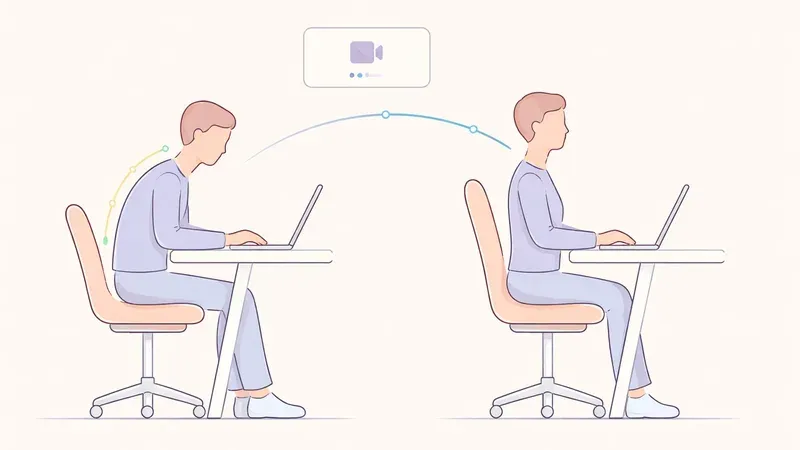
The reminder never knows when you are slouching. A timer-based app cannot close that gap with a different schedule. A sensor-based tool is a different category of solution.
The feedback style is easy for you to miss. You might prefer a cue on the working screen rather than another notification to dismiss. This is a design preference to evaluate, not a promise that paying automatically changes behavior.
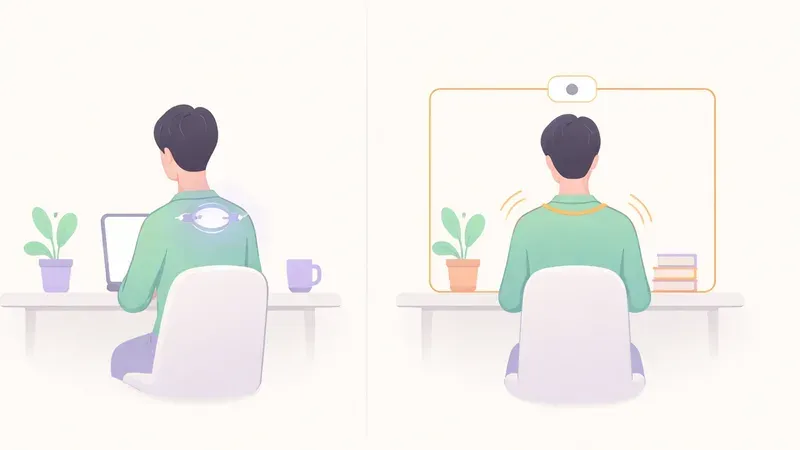
Slouch Sniper combines webcam-based detection with a gentle screen-dimming cue. Its direct lifetime license is currently $19. It requires Windows or an Apple Silicon Mac and a suitable webcam. It is not the free or no-camera option on this list.
Preview the screen cue before deciding whether that is the missing interaction. Our SitApp comparison can help when your choice is specifically between two sensing-based desktop products.
A no-budget-first decision path
Start with the smallest promise you need. For occasional check-ins, choose a reminder tool and see whether you act on it. For a signal triggered by posture, try a documented free sensing allowance. Move to a paid product only when a specific limit or interaction makes the difference worthwhile.
Do not install four apps at once and judge the category by the resulting flood of prompts. Evaluate one interaction at a time so you can tell what is helping and what is merely competing for your attention.
If your main constraint is camera access rather than cost, use the no-camera guide. For a broader comparison of actual sensors, use the posture-tracker shortlist.
Finally, a useful reminder is compatible with movement. HSE's guidance on screen-work routines recommends breaks that let you move and change posture. 6 Whether the tool is free or paid, it should support that routine rather than turn one “correct” position into another thing you must hold all day.
Frequently asked questions
Is Slouch Sniper free?
No. The direct website offer compared here is a $19 lifetime license. It is included as a paid alternative, not as a free-plan recommendation.
Does SitApp have unlimited free monitoring?
Its current published free plan includes one hour of daily posture monitoring. Check current plan terms if you need coverage across a longer workday.
Do break reminders detect slouching?
The timer-based tools discussed here do not observe your body position. Their prompts ask you to check yourself; they are not reports that a slouch was detected.
Is an open-source app always free to install from every store?
No. Source availability and packaged distribution terms are separate questions. Check whether you are looking at source code, a downloadable binary, a store offer or a paid support package.
Sources and comparison scope
Product information checked September 6, 2026. Prices and availability are regional snapshots, not checkout guarantees. Selection is by use case, not a measured accuracy, health-outcome or popularity ranking. Privacy descriptions are vendor statements, not independent audits.
- SitApp official free and paid plans — Ongoing free tier, daily monitoring allowance and listed desktop platforms.
- Stretchly official project and downloads — Open-source break reminders and official distribution links.
- Workrave official downloads — Free software and stable Windows/Linux platforms; development builds are distinguished.
- PostureMinder official Chrome listing — Browser-based posture and walking reminders, not posture sensing.
- Dorso official project — Open-source status does not independently establish every distribution’s price or setup.
- HSE screen-work routine guidance — Movement and posture changes during breaks, not proof of any particular app’s results.
Slouch Sniper's direct-purchase price below comes from our shared pricing configuration. Platform support and product behavior are described on our product page; see our privacy policy for data handling beyond posture inference. These tools are not a diagnosis or a substitute for clinical care.
A paid option when posture-triggered screen feedback is the missing piece.
Slouch Sniper uses a suitable webcam on Windows or an Apple Silicon Mac to notice slouching and gently dim the screen. The direct lifetime license is $19, with no recurring license payment. It requires camera access; it is not an HRV tracker or a camera-free app.